Architectural design rendering
Bring your structures to life with the greatest ease, in the highest quality
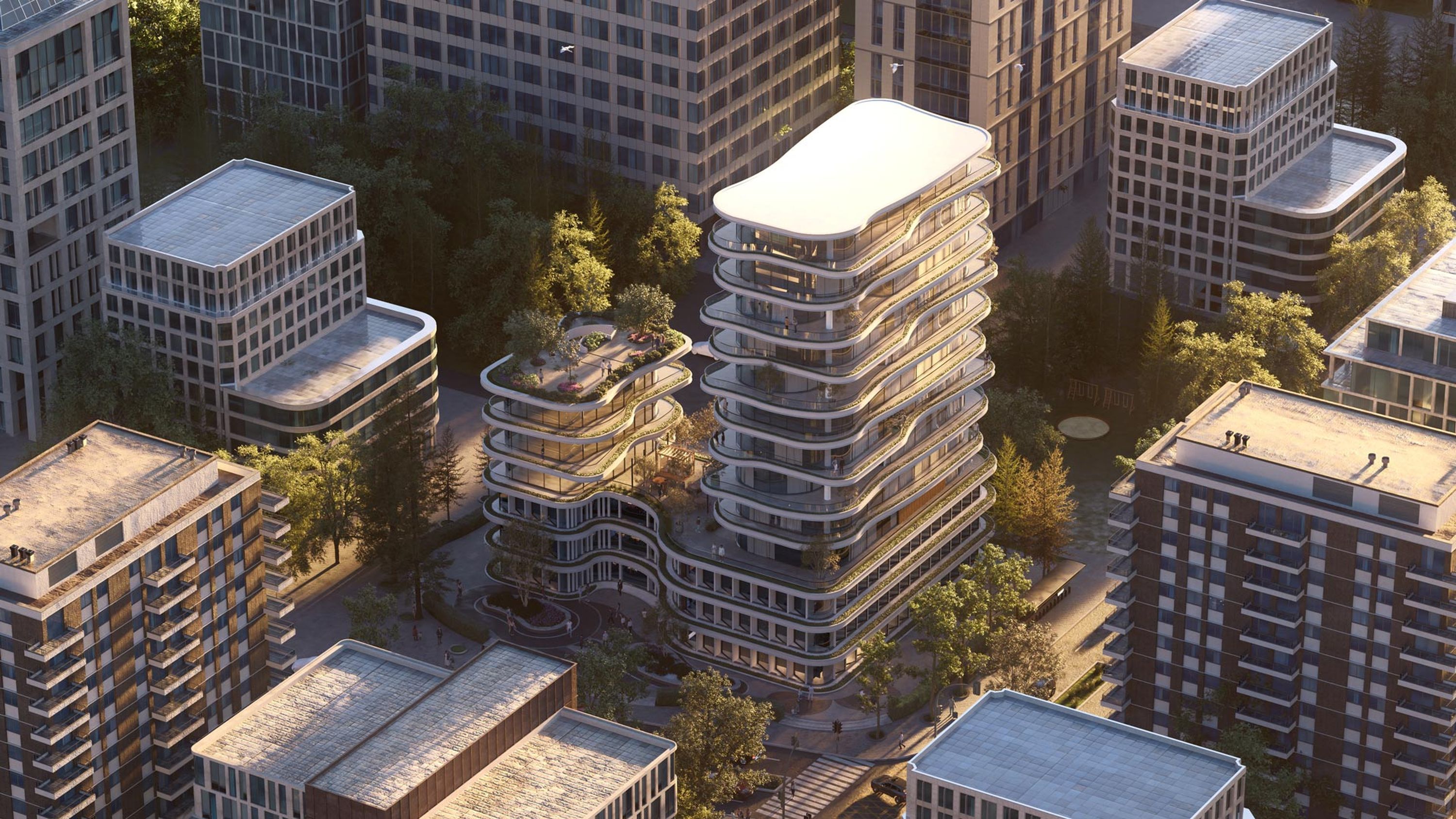
Fit for your creative process
Lumion keeps you in control—from clear diagram views that communicate intent to high-detail visuals that get projects approved.
Meet Lumion View
Visualize inside your modelling tool
In the early stages of a project, you need to move fast, test ideas easily, and make quick decisions.
This is where Lumion View comes in—a real-time visualization plugin inside SketchUp, Revit, and Archicad, made for conceptual design.
Visualize while you design, test massing, lighting, and materiality, and create quick diagrams and render 4K images on the fly.
Now available as a SketchUp, Revit, and Archicad plugin.
Lumion Pro
From start to finish
Once your design is in place, Lumion Pro gives you the tools to tell its story—rich with atmosphere, detail, and emotion.
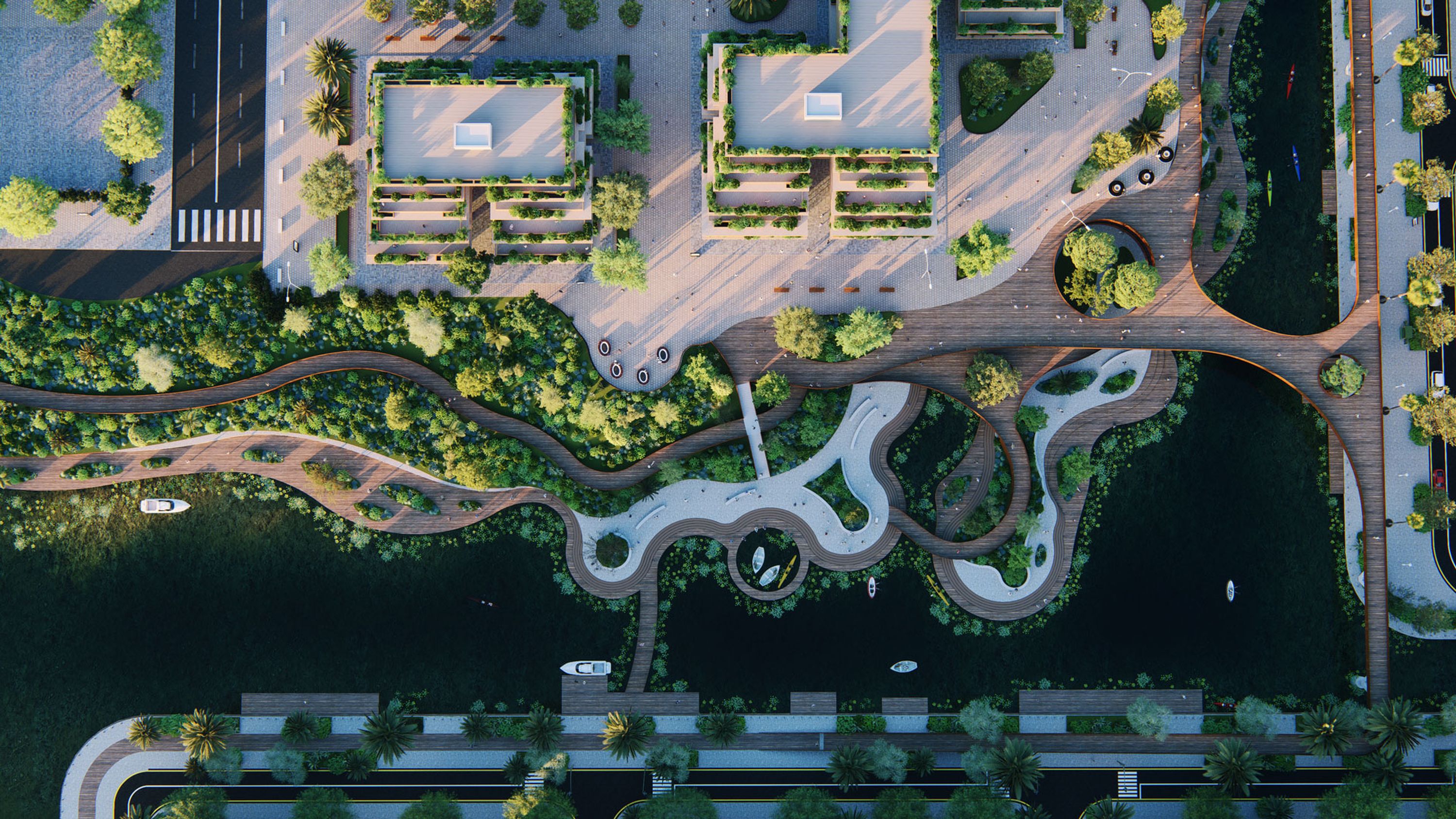
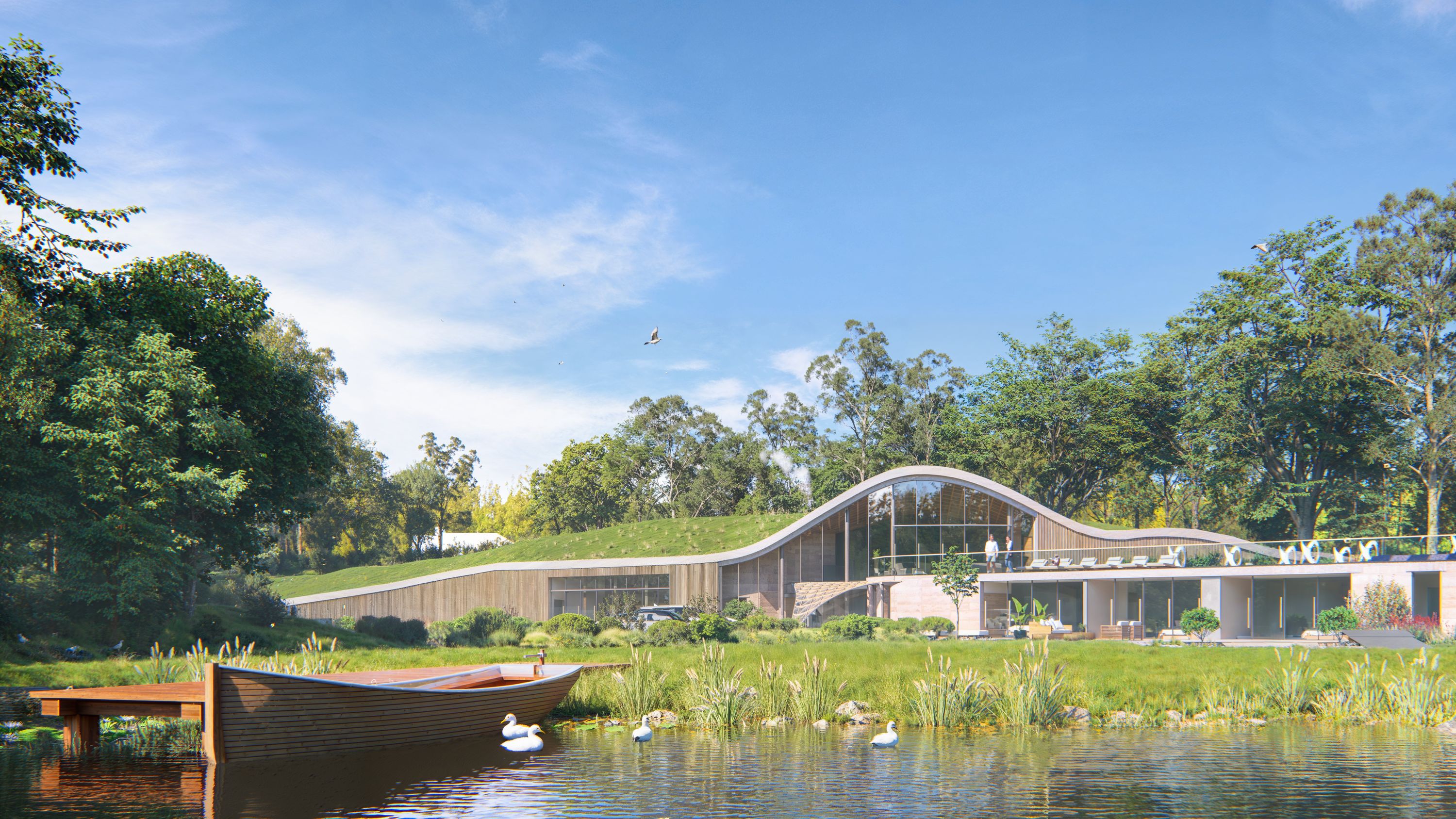
From residential homes to commercial spaces, shape how your design is experienced with realistic lighting, materials, and context.
Create images, videos, and panoramas that communicate your vision—clearly, quickly, and with impact.
Seamless, real-time workflow
Lumion Pro works with the tools you already use. Model and render in sync with the free LiveSync plugin.


A world of possibilities
Explore what you can create with Lumion Pro.

See your designs in the best light
From sun studies and different times of day to artificial lighting, ray tracing makes it easy to get results that just look right. See accurate reflections, soft shadows, and natural lighting conditions without any complex setup.


Make surfaces feel real
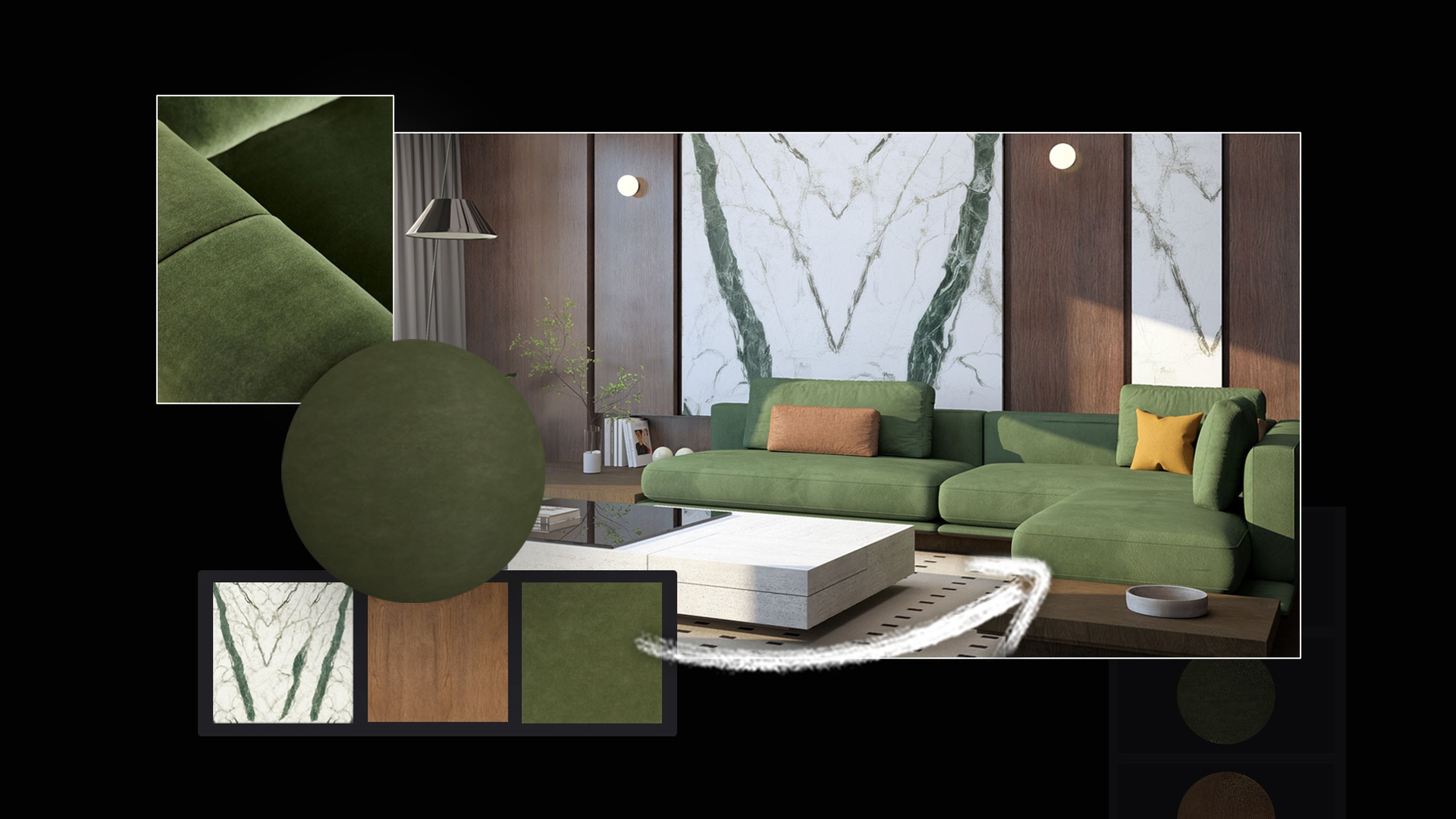
From polished concrete to warm wood paneling, materials shape how a space feels. With the material editor in Lumion Pro, you can control finish and surface details, so materials look accurate under any lighting.
Start faster with 1,500+ built-in materials or import your own.

Turn any reference into a ready-to-use material. With the new AI material generator in Lumion Cloud you can create seamless, tileable PBR material maps you can apply in your project in Lumion Pro.
Access thousands of high-quality, ready-to-use materials, all customizable to suit your exact needs.
Add subtle weathering, soften edges, layer on decals, or adjust surface relief with displacement maps.
With Lumion’s physically based rendering (PBR) material editor, you're not just applying textures—you're shaping how light interacts with your design. Fine-tune roughness, metalness, gloss, opacity, reflectivity, and more, all in real-world units for professional precision.
Add subtle weathering, soften edges, layer on decals, or adjust surface relief with displacement maps.
Build context fast
Whether you’re visualizing a home, a campus, or a civic space, the environment around your design matters.
Use Lumion Pro’s built-in library to quickly create site context. Choose from thousands of high-quality models:
2,400+ nature assets
900+ characters
4,300+ objects

Not every presentation needs photoreal detail.
When you're presenting concepts, it's all about clarity—getting the form, scale, and context right without unnecessary clutter.
With a unique collection of low-poly nature, people, and urban elements you can add context quickly while keeping your scene light.
Add a touch of magic
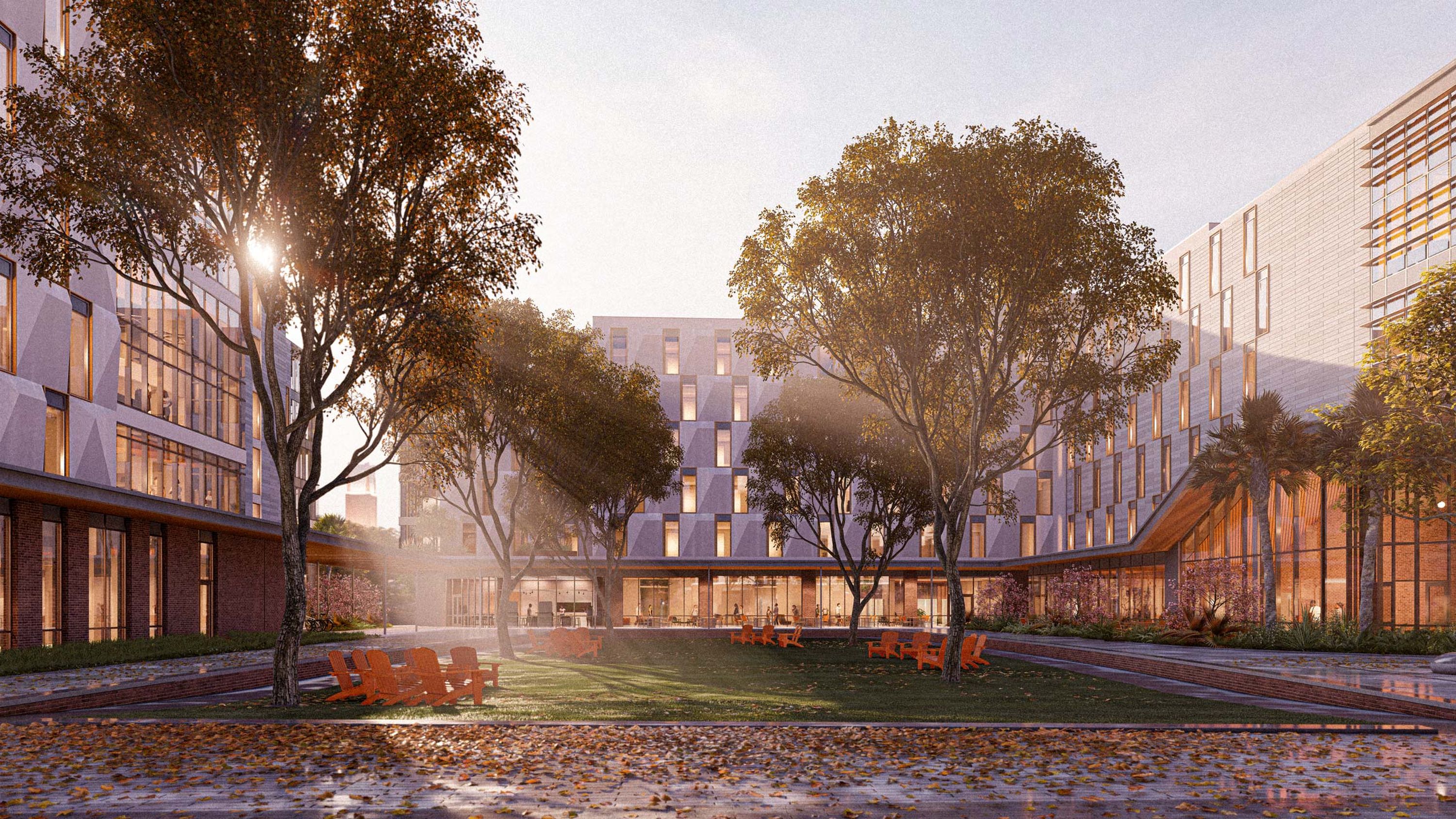
Lumion Pro’s easy-to-use atmospheric effects let you shape mood, convey time and place, and turn a simple render into a story that resonates. Small tweaks, big impact.
Instantly set the mood of your architectural rendering with over 50 different HDRI skies or import your custom ones.
Tweak the heading, brightness, sun intensity, and create easy sky animations.

Reveal your design in different weather conditions with atmospheric rain and snow or add a burst of color with the autumn effect.

Give your renders a signature style with custom LUTs, preset styles, and other easy-to-use color correction and post processing effects.
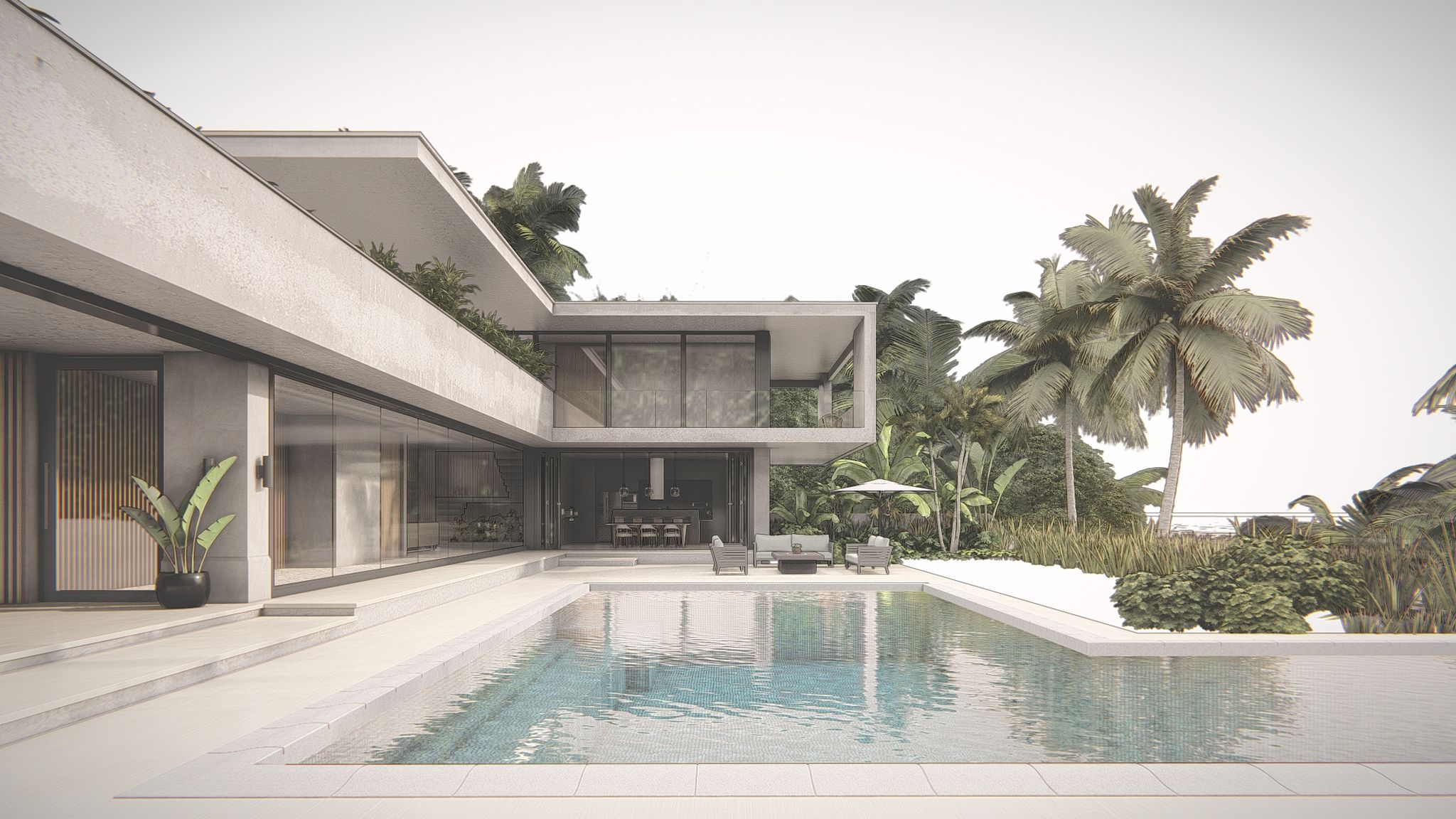
Choose from different predefined styles to instantly balance light, depth, and realism. You can also create custom effect stacks to reuse across projects and give your architectural renders a signature style.
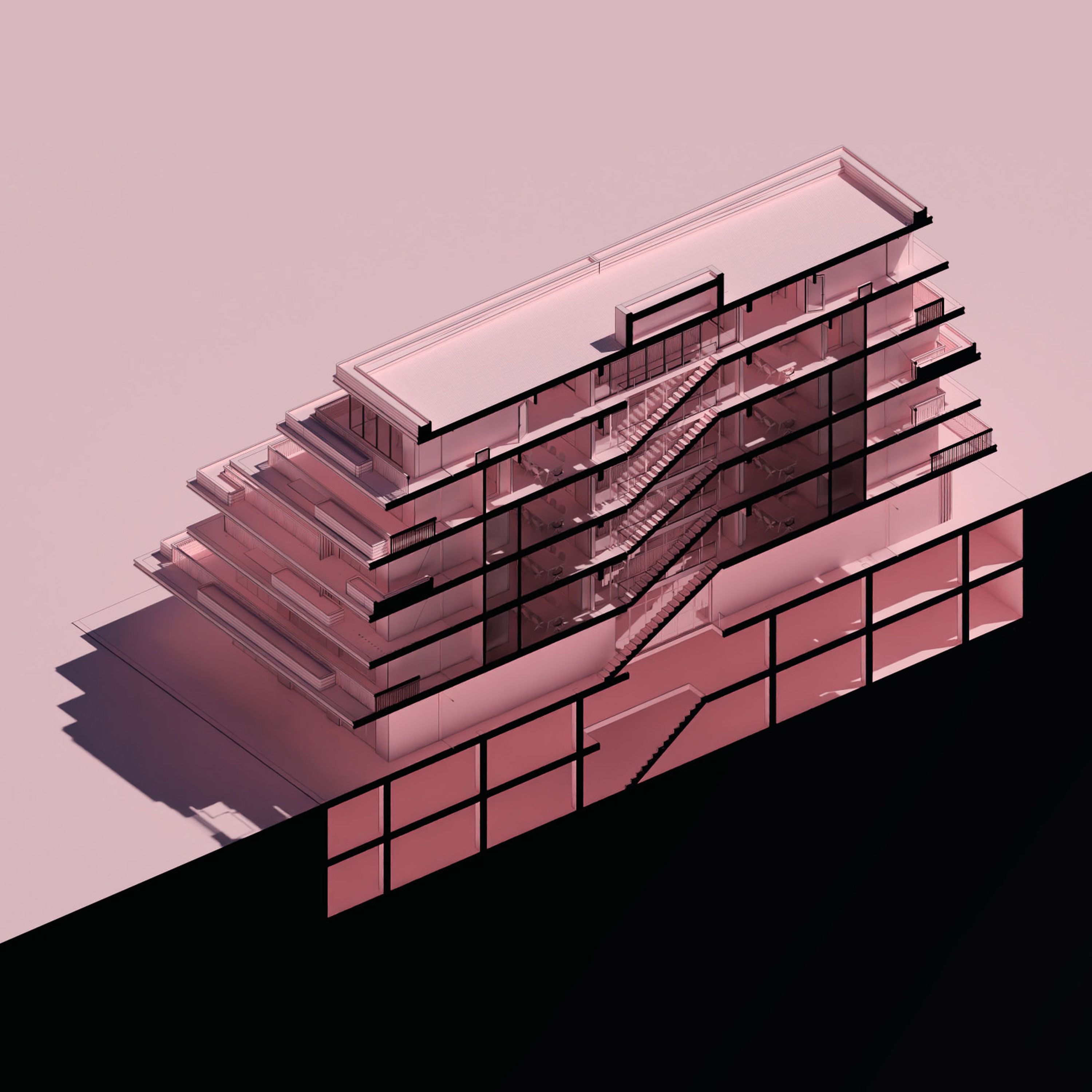
Create clean diagram views
Show the design in plan, section, and elevation. Produce cleaner, presentation-ready section visuals directly in Lumion without patching in other tools. Fills sectioned model areas with a chosen color, a library texture, or even a custom imported one.
Try Lumion Pro on a real project
Import a model and start rendering today. Free for 14 days.
Kommunizieren Sie Ihre Entwürfe
Show options, phasing, and spatial experience when it matters. Give clients clarity and confidence with visuals that explain change, options, and space.
Erzählen Sie eine fesselnde Geschichte
Zeigen Sie den Prozess hinter der Entwicklung oder Konstruktion Ihres Designs mit Hilfe von animierten Phasen.
Entfalten Sie Ihre Kreativität
Vergleichen Sie verschiedene Modell- und Materialvarianten und zeigen Sie unterschiedliche Designlösungen, um den Entscheidungsprozess zu unterstützen.
Entfalten Sie Ihre Kreativität
Vergleichen Sie verschiedene Modell- und Materialvarianten und zeigen Sie unterschiedliche Designlösungen, um den Entscheidungsprozess zu unterstützen.
Get approvals faster
With Lumion Cloud, share renders, keep feedback in one place, and move to sign-off with fewer back-and-forth rounds. Included for free in all Lumion plans. See how it works.
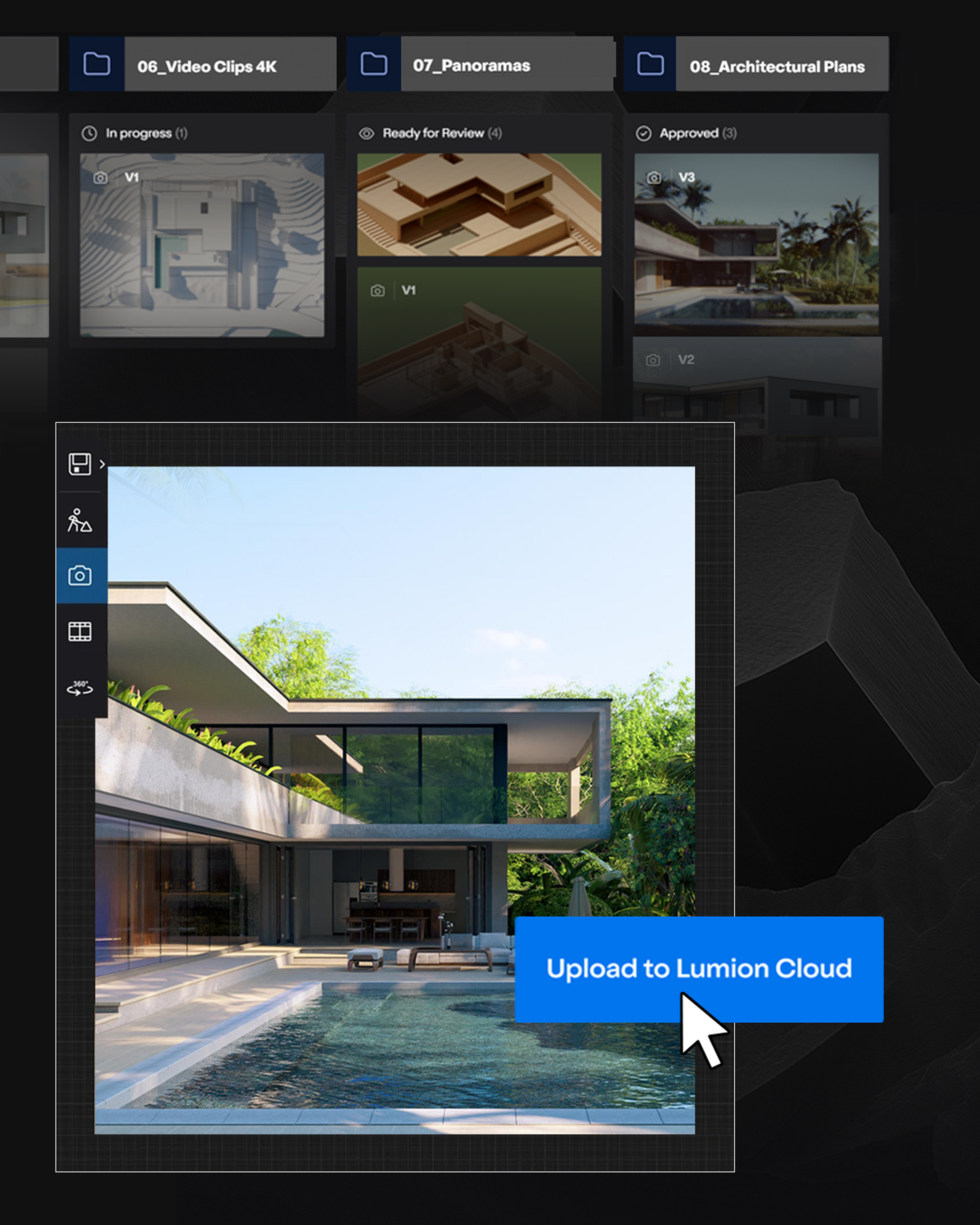
Gather visuals in one hub
Upload renders straight from Lumion Pro and keep every project organized.
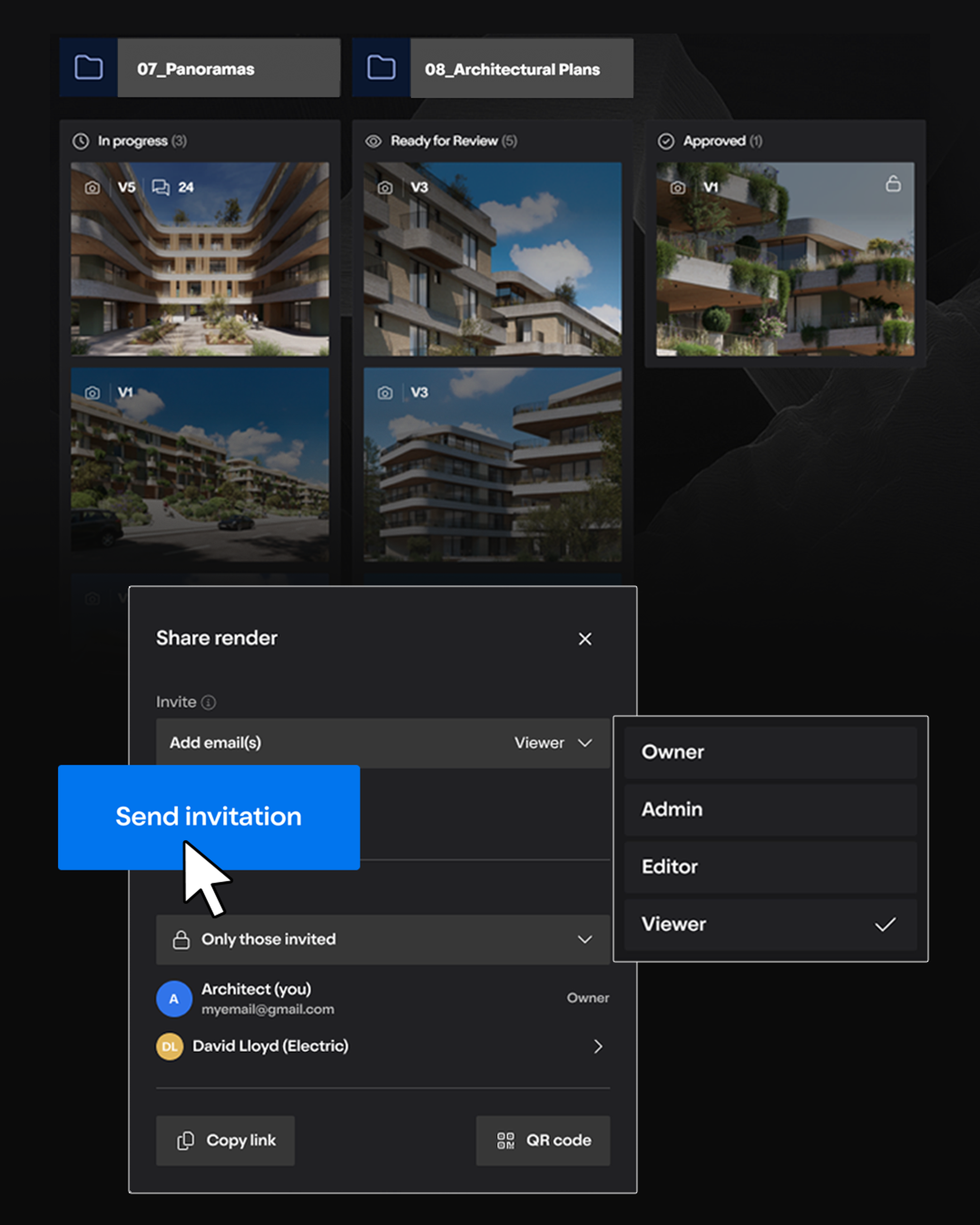
Share instantly
Send secure links or QR codes so teams and clients can review with ease.
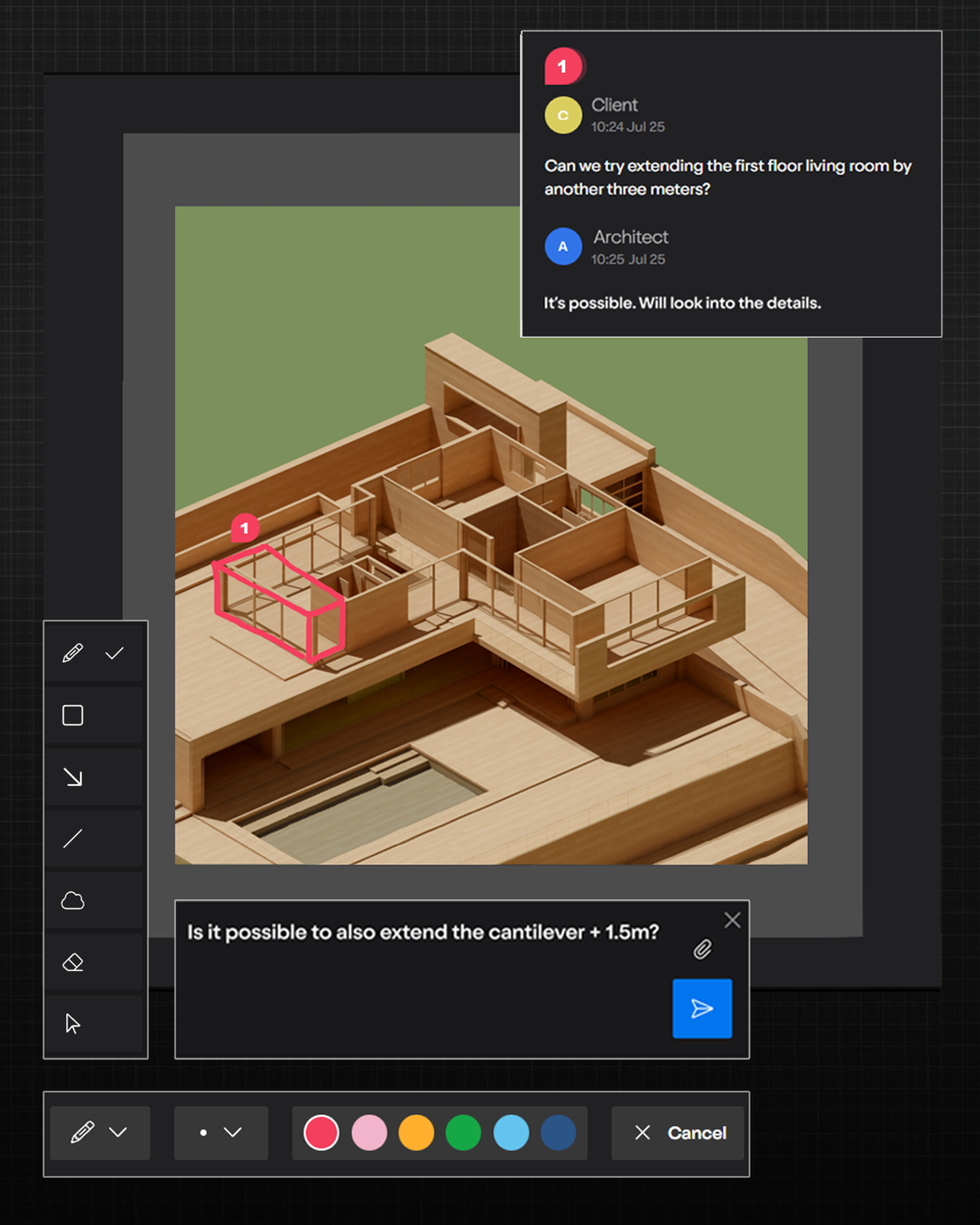
Capture feedback clearly
Draw, highlight, and comment with simple markup tools.
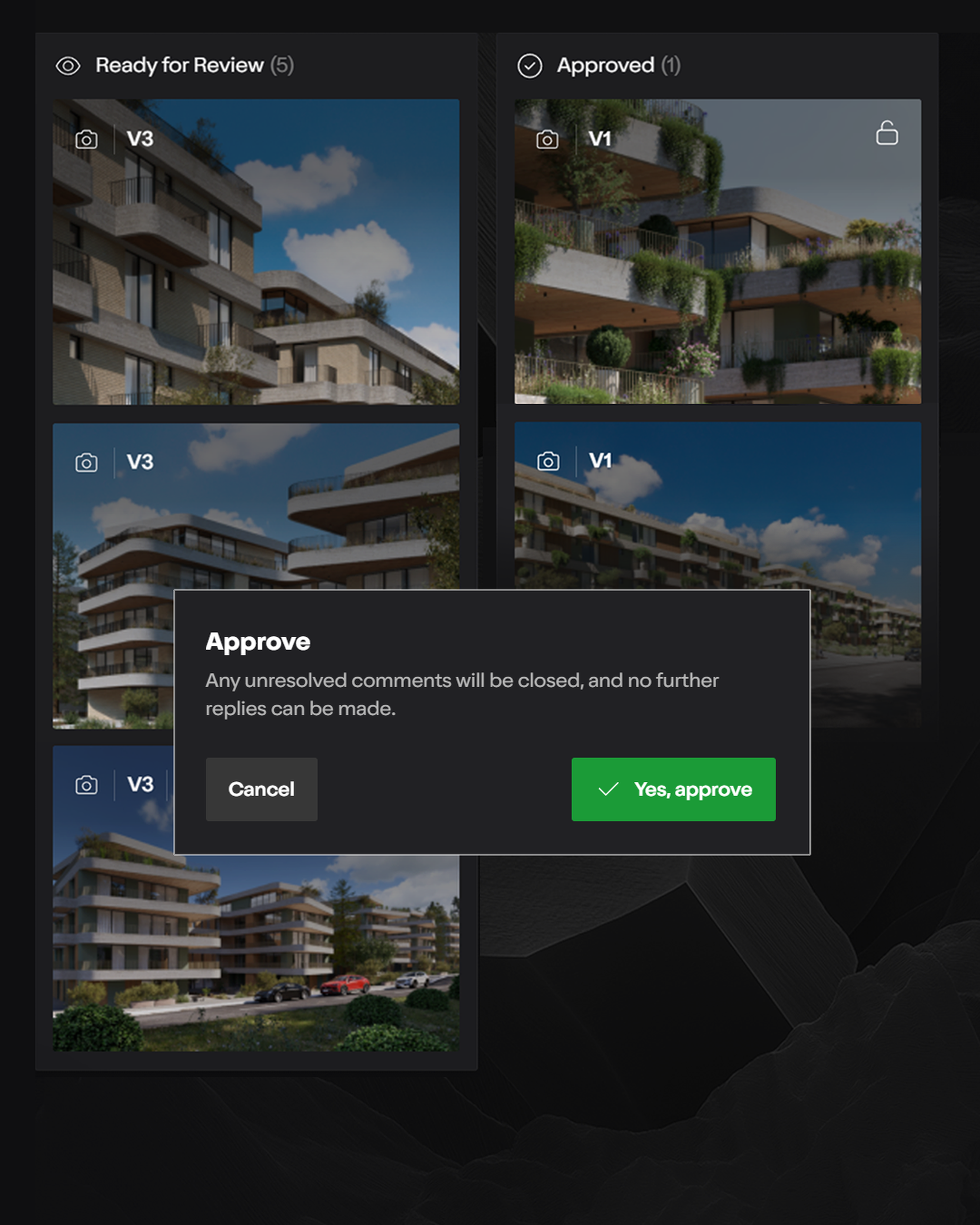
Keep projects on track
Track versions, project status, and approvals instantly.