Introducing new Lumion 2025: built for how you design
Discover smarter tools, a new AI image upscaler, and a more connected workflow
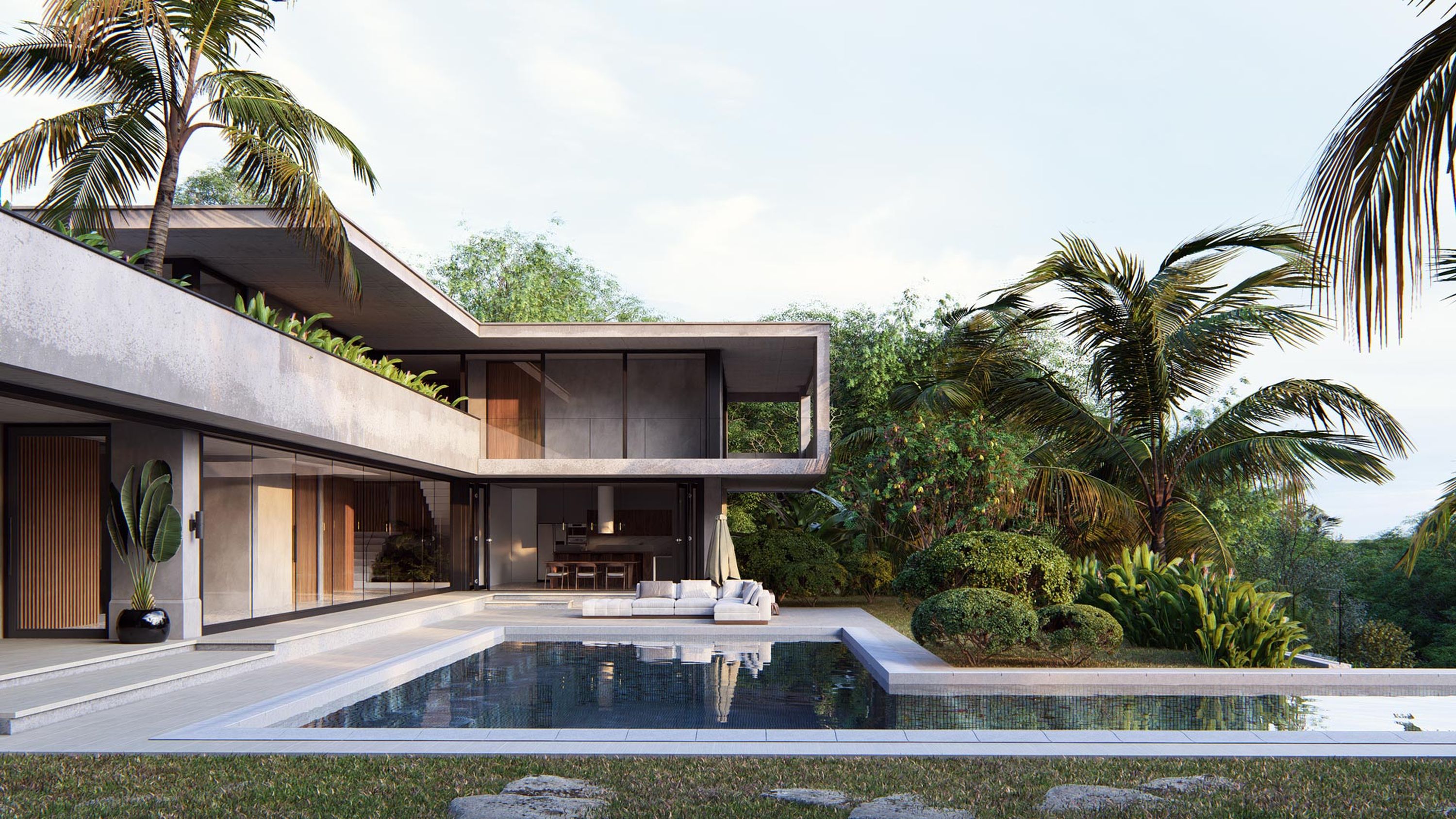
Fit for your creative process
Your design workflow is rarely linear. It’s creative, iterative, and always evolving. As you move from big-picture concepts to detailed decisions, you need tools that can keep up.
Lumion now supports every phase of your process—fast concept development with Lumion View, and high-impact storytelling with Lumion Pro. Whether you're sketching early ideas or crafting photorealistic renders, Lumion gives you the speed, flexibility, and control to move naturally through your work, without interruptions.
With Lumion View now available to all SketchUp users, and the launch of Lumion Pro 2025, it's easier than ever to visualize your entire project—from first idea to final design.
Move faster with Lumion Pro 2025
Lumion Pro 2025 brings you smarter tools, faster workflows, and even more ways to visualize your ideas with precision and ease.
With AI-powered upscaling, real-time scene management, and enhanced ray-traced realism, every feature is built to keep your creativity flowing—helping you move naturally through every stage of your design.
A closer look at what's inside
Find anything, fast
Quickly search and locate any object in your scene with the new scene inspector tool.
With a clear overview of all objects, layers, and hierarchies, you can manage complex projects faster and more efficiently—no more manual hunting through busy scenes.
Lumion’s intuitive tools make building your scenes fast and flexible—and now, the new flip tool gives you even more control.
With a single click, you can instantly flip objects along the X axis, making it easy to arrange asymmetrical models without extra steps or external tools. Like cluster placement, gizmo, rotate, and auto snap, the flip tool helps you work quickly and efficiently when manipulating assets.
Smarter scene management
The new performance control center lets you manage your project’s performance with real-time insights and easy-to-use controls—all designed to help you keep complex scenes running smoothly.

Get a clear view of your scene’s performance with the new speedometer and compact monitor.
Quickly check key system stats like GPU and CPU usage, VRAM consumption, vertex count, and object counts.
Adjust editor quality, resolution, and other settings to match the needs of your project—all from one place.

Boost editor performance by replacing heavy building models with lightweight proxy versions.
It’s an easy way to stay responsive, even in detailed, high-complexity scenes—so you can design at full speed.
Better results. Same hardware.
Up to 5x faster renders with AI
The built-in AI image upscaler is the first step in bringing AI to your Lumion Pro workflow.
Available in photo mode, it quickly transforms low-res images into high-res outputs—up to 8K. Quickly generate sharper images, reduce your rendering time, and boost efficiency—all without burning your hardware.
Examples shown are rendered at 512 samples, 6 bounces, on an NVIDIA® GeForce RTX™ 4090 GPU.
New levels of realism
Lumion Pro’s 10,000+ content library now contains some of the most accurately detailed models yet. Introducing the new range of 7 ultra-detailed photogrammetric trees—as intricate as fingerprints, these photo-scanned trees will add complete immersion and authenticity to the foreground of any natural environment.
Plus, discover a collection of 61 Mediterranean trees and shrubs for vibrant, geographically accurate scenes.


Vibrant educational spaces
From toys to school furniture, this new themed content collection offers 147 new assets and materials centered around children and education. Whether you’re designing a childcare facility or a family home, these assets are perfect for creating authentic, inviting spaces for young learners.
Fully ray-traced water
Achieve stunning, lifelike reflections across your scenes with fully ray-traced water in Lumion Pro 2025. It reacts naturally to light and its surroundings, adding a subtle, realistic touch to your projects.

Ray-traced volumetrics
New in Lumion Pro 2025, ray-traced volumetric sun and fog add breathtaking depth, realism, and emotion to your scenes—making it easier than ever to set the perfect mood.
Volumetric fog
Create rich, atmospheric environments with the new volumetric fog effect. Fine-tune settings like fog intensity, sun and light interaction, height, and noise to shape the mood of your scene—whether it’s a crisp morning, a misty forest, or a moody urban landscape.
Volumetric sunlight
Capture the beauty of sunlight as it filters through your scene. With ray-traced volumetric sunlight, beams of light cut through your scenes with stunning realism, adding dramatic depth, softness, and storytelling power to your designs.
Improved global illumination
Your real-time ray-traced previews look better and run smoother, thanks to radiance cache. Indirect lighting is cleaner and more stable, even in darker areas with little to no direct light.
It’s also easier to get a clear sense of your final render—right from the start. Less guesswork, fewer surprises, and a smoother creative process.
Skip the setup and dive in
Example scenes and built-in templates in Lumion give you curated environments and settings, so you can jump straight into your work without starting from scratch.

Showcase your designs in the new Model gallery example scene. Easily swap the imported models with your own and present your work in a professional exhibition setting
Special feature: TF Rendering’s winning model and effects from the Scaled-Down, Styled Up! competition are included.

Step inside the new Tropical villa example scene, a fully detailed residential environment designed for you to experience some of the new styles added in Lumion 2025.
Explore the space with rich materials and landscape that bring a warm, coastal atmosphere to life.

Easily see how your design looks across all four seasons—without needing to build a full environment from scratch.
Place your building into a ready-made natural setting that transitions seamlessly from spring to winter.

Building on the concept of the Design showcase template, the new Presentation model gives you a ready-made architectural environment to present your work-in-progress designs.
Easily place your project into a high-quality, ray-traced setting that highlights the form of your building—whether you're working on a small concept or a large-scale development.
Render in style
Add consistency and flair to your scenes with 9 new preset styles now available in Lumion Pro 2025. Choose from 6 in-house designs and 3 created by talented members of the Lumion Community as part of our "Render in Style" challenge—all crafted to help you create cohesive, distinctive renders more easily than ever.
Real-time visualization inside SketchUp

Following its Early Access release, Lumion View is now available to all SketchUp users—bringing real-time rendering directly into your modeling workflow. Lightweight, fast, and easy to use, it gives instant visual feedback as you design, helping you explore ideas, refine concepts, and make confident decisions without switching between apps.
Try it free for 14 days and install it directly from the SketchUp Extension Warehouse.
Not using SketchUp? More CAD integrations are coming soon—join the waitlist to stay updated.
A fully connected workflow
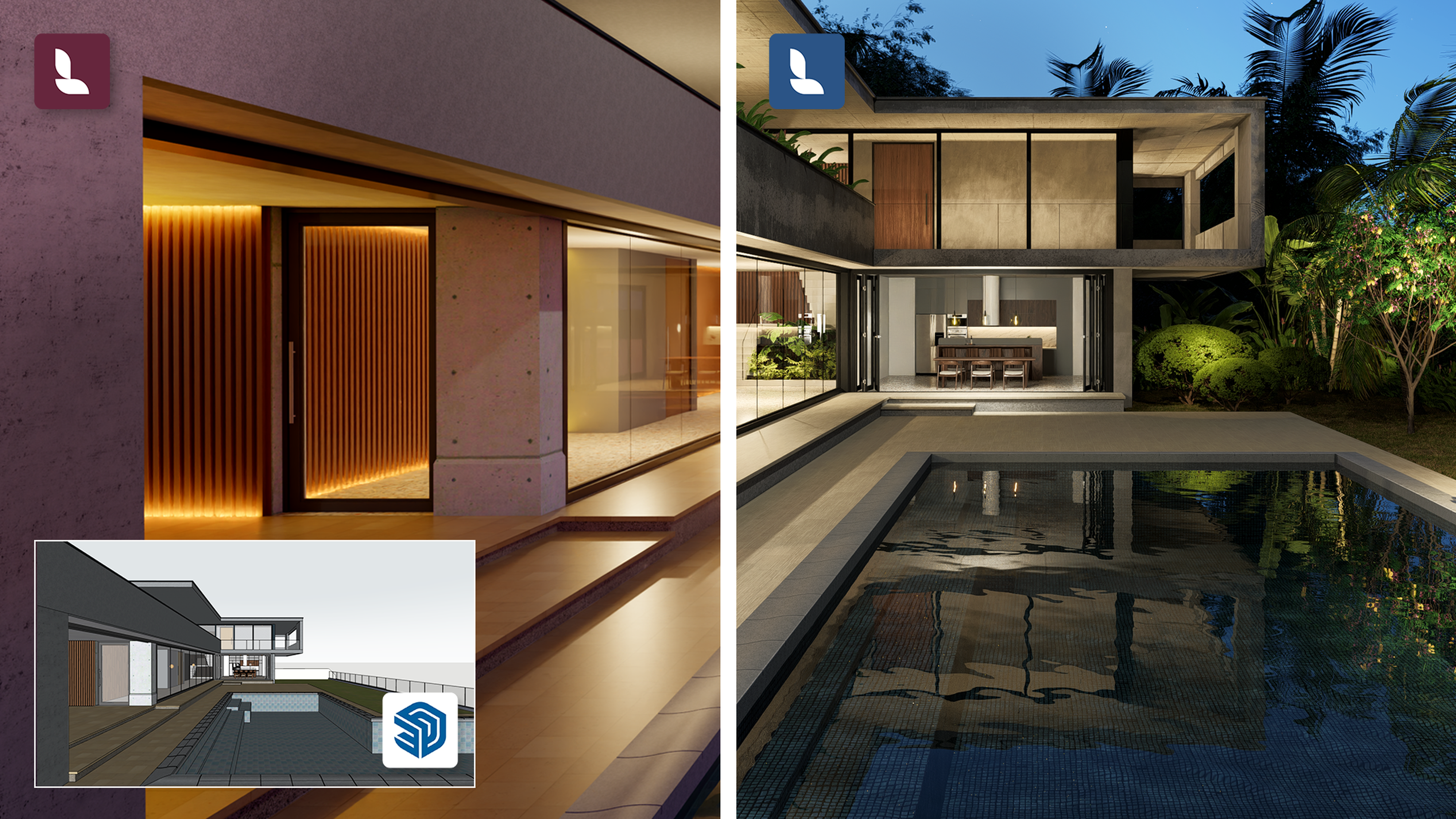
Designed to work seamlessly together, Lumion View and Lumion Pro are the perfect pair.
Start your project with Lumion View for SketchUp, then easily transfer your lighting and material settings into Lumion Pro when you're ready—so you can keep building without rework or delays.
Introducing Lumion Studio—the full power of Lumion, in one plan
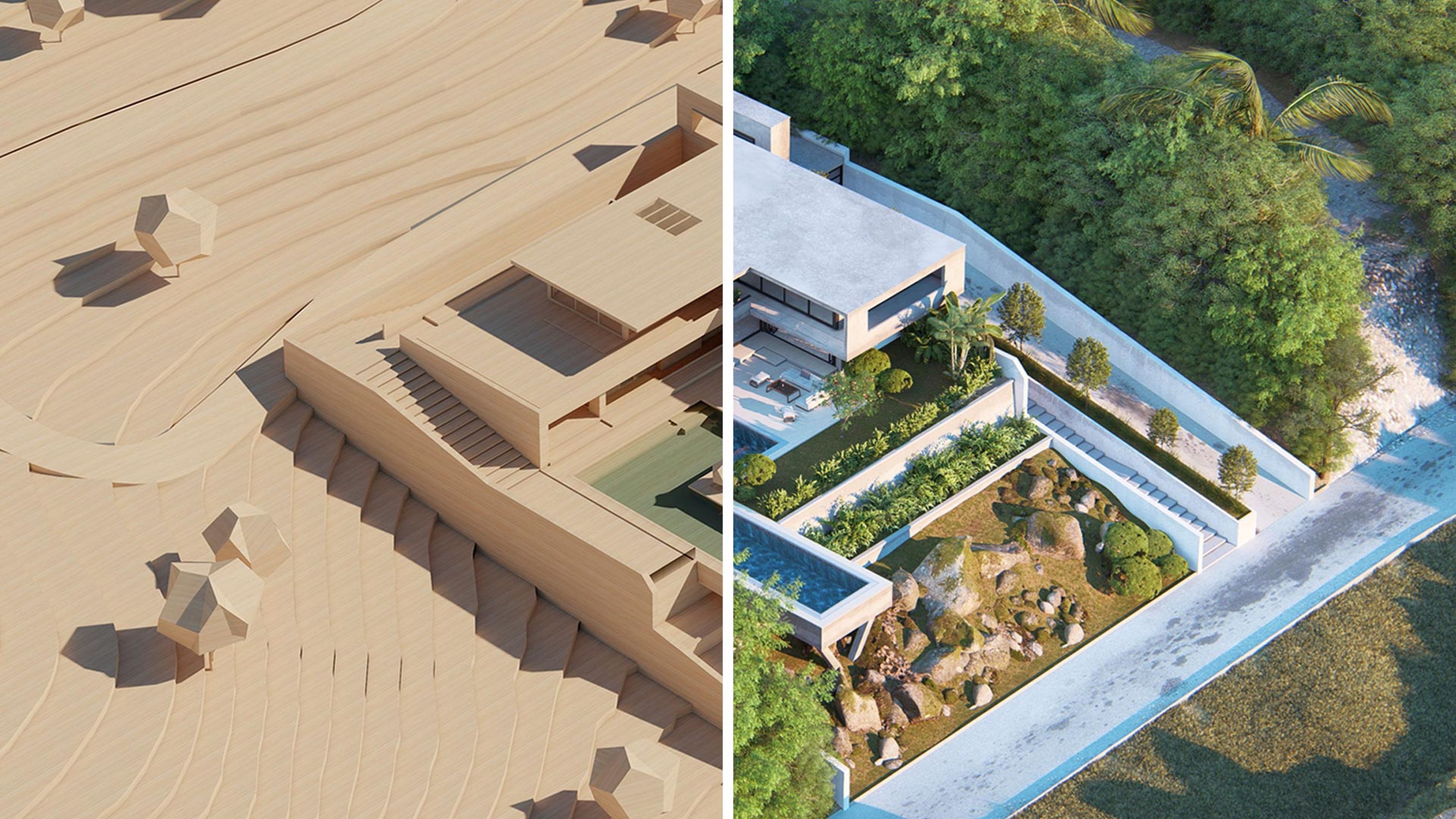
Lumion Studio is a new way to experience visualization—combining everything you need for every stage of your design process into one flexible package.
With the Studio bundle, you get full access to Lumion Pro’s features and content, along with Lumion View for SketchUp to support early-stage design. One connected platform for a smooth process. Everything you need to move quickly and confidently from concept to final design.
How to start using Lumion Pro 2025

If you’re an active Lumion subscriber, you can upgrade to the latest version of Lumion Pro for free. Simply log in to your Lumion Account to download and install Lumion Pro 2025. We can’t wait for you to explore the latest additions!
Not a subscriber yet? Try Lumion Pro 2025 free for 14 days and see how it fits into your creative workflow.